HtmlCapture.Net1.0
Publisher Description
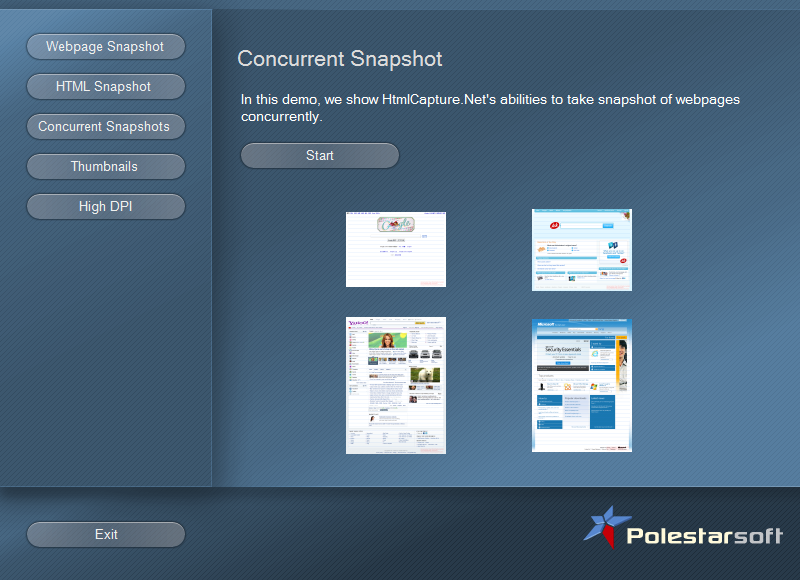
A commonly encountered issue in web programming is the need to automatically convert html to image in the form of a webpage thumbnail or snapshot. Snapshots of websites are used for a variety of purposes, from dynamically serving websites to archiving pages to creating PDF files to running testing scripts (such as a/b testing and other marketing research purposes) and more. Developers writing programs to automatically perform such tasks from start to finish need to be able to automate the initial image capture.
HtmlCapture.Net is a powerful .NET developer component that allows programmers to utilize automatic webpage to image routines in any .NET-supported programming language. It converts websites into image files of any major type, including .jpg, .gif, .png, .tiff, .bmp and more. With HtmlCapture.Net, developers can automatically take snapshots, create a webpage thumbnail, and include a variety of powerful image capture and modification techniques for transferring html to image in their programs.
Based on the sibling product HtmlCapture, the .NET version is more versatile, lightweight and convenient for program developers to use. It allows developers to include HtmlCapture functionality in any written code. As a .NET component, it is delivered as a main assembly HtmlCapture.Net.dll, which can be used with any .NET programming language, including C#, VB.NET, C++/CLA, Delphi, F#, Boo, IronPython, IronRuby, etc. The developer component itself is written in 100% native C# code. As a result of its rich functionality and flexibility, HtmlCapture.Net can be used to solve a variety of specific problems and complete many different tasks with ease.
HtmlCapture.Net represents a new, powerful and compact answer to the problem of image capture. Usable with practically every .NET language and for any related task, HtmlCapture.Net can solve your webpage snapshot and webpage to image needs.
About HtmlCapture.Net
This Components & Libraries program is available in English. It was last updated on 29 September, 2026. HtmlCapture.Net is compatible with the following operating systems: Windows.
The company that develops HtmlCapture.Net is Polestar Software. The latest version released by its developer is 1.0. This version was rated by 5 users of our site and has an average rating of 4.8.
The download we have available for HtmlCapture.Net has a file size of N/A. Just click the green Download button above to start the downloading process. The program is listed on our website since 2011-03-24 and was downloaded 185 times. We have already checked if the download link is safe, however for your own protection we recommend that you scan the downloaded software with your antivirus. Your antivirus may detect the HtmlCapture.Net as malware if the download link is broken.
How to install HtmlCapture.Net on your Windows device:
- Click on the Download button on our website. This will start the download from the website of the developer.
- Once the HtmlCapture.Net is downloaded click on it to start the setup process (assuming you are on a desktop computer).
- When the installation is finished you should be able to see and run the program.
Program Details
System requirements
Download information
Pricing
Version History
version 1.0
posted on 2011-03-24
First Release
